
My second week was a challenging but exciting delve into even more different kinds of editing and development! The first few days of my third week have unfortunately been stunted by illness, but I have now finished three complete projects for Storyline Multimedia, shadowed a fourth and am actively working on a fifth-which I filmed the footage for entirely on my own as well! Upon returning to work, I’ve been finishing the behind the scenes social media deliverables and working on editing Storyline’s various podcasts. Unfortunately, we encountered many technical issues on Wednesday. However, while frustrating and unfortunate, it was a rich learning experience. I discovered how to recover files from a computer when the source file is on a hard drive, how to replace footage when video files you’ve already begun to edit are damaged, and I practiced many hours of patience with Adobe Premiere Pro’s frequent freezes and terrifying crashes. In the end, nearly all of the work that I did was saved and/or recovered, and I have a few new tools to help me in the future during moments of panic about potentially losing edits.
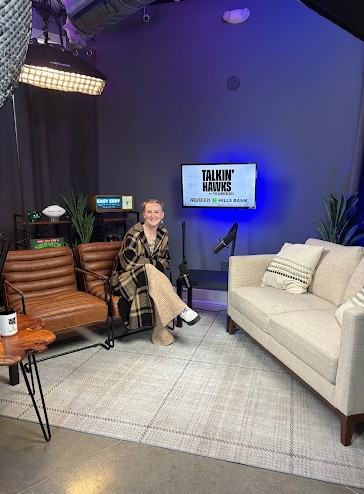
One of the projects I did work on required the changing of a logo on a physical bag that is used as a prop in the background of one of the podcasts. The bag is meant to be shown, because it has the logo of one of the show’s sponsors on it. Unfortunately, the sponsor recently changed their logo, but didn’t have a new bag for us to replace the old one with yet-so they essentially asked us to fix it in post! I learned how to use elements of both Premiere Pro and Photoshop to remove the original logo, place the new logo on the bag (creating a ‘mask’), manually adjust the color, position and level of blur to match the rest of the video’s background, and to then match the static image with the moving video footage. The ‘mask’ is essentially putting a new image on top of the old image, which is still a static image. However, using Premiere Pro tools, that image is applied to every single image frame of the video. The bag is still in all of the shots, and no one moves directly in front of it. If they did, the mask would clip and the edit would be obvious. However, because the bag itself stays still in every frame of the video, the final edit is impressively undetectable. This method is used more often than I realized, as clients often assume anything can be fixed in post-production.
Last week, I shadowed one of my coworkers on a series of ads for a bank. I learned a lot during that process about the very different aesthetic and tone of television commercials versus testimonials and social media content. The style of filming for a corporate commercial, including hiring ads, focuses on polished shots and a lot of slow motion. I learned how to effectively layer and blend the upbeat music over the narrator’s audio, how to photoshop the background of shots that had something to be corrected and apply that to the rest of the video. Much of the footage is meant to look like stock footage; non-threatening and generally appealing. In all of the projects I have worked on but especially in this one, I have greatly improved my skills in sequencing footage to flow smoothly, cover cuts and avoid jump cuts, and lining footage up to match the content and tone of the narrator’s words.
I then completed another ad entirely on my own, for a company that makes pressure washers for restaurants and fast food chains to clean their buildings with. This ad carried a very different tone, but some of the film style and the process of using footage to complement the narrator’s tone was the same. Lastly, I completed the editing of a one-hour podcast, assisted greatly by the use of AutoPod-a program that Premiere Pro includes. Data still needs to be accurately entered, and all of the different mics and camera angles that a podcast requires need to be correctly lined up first in order for it to work. However, AutoPod then automatically cuts up the audio and switches between shots, focusing on the shot of the person speaking every time they start talking. The software is an immense time-saver, but the full hour did still need to be reviewed for errors, and from that podcast I created eight different reels for social media distribution. The requirement was six, but I wanted some extra content just in case.
This past week and a half has been challenging, and has had huge ups and downs of busy productivity and unfortunate absence. However, I’ve learned a lot of hard skills through both the fun and the frustrating experiences. I’ve also improved soft skills of remaining calm and focused when something goes wrong, even if the knee-jerk reaction is to freak out and be devastated (which it definitely was when I thought I had lost all my behind-the-scenes edits!). Communication is always key, it’s okay to ask for help, and sometimes things go awry even if you didn’t do anything wrong, but how you deal with it matters. These strategies have also helped me stay sane and do what I can while being at home sick. I feel optimistic that things will greatly improve for the rest of this internship, and it will still end on a high note!